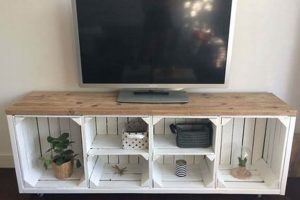
Creating a support structure for a projection device through do-it-yourself methods involves designing and building a stable platform. This platform elevates the projector, enabling optimal screen alignment and viewing angles. Examples include modifying existing furniture, repurposing materials like wood or metal pipes, or constructing a stand from scratch using readily available hardware.
Constructing a custom support offers notable advantages, primarily cost savings compared to commercially manufactured options. Furthermore, it allows for personalized design, accommodating specific projector sizes, room layouts, and aesthetic preferences. The practice of building personalized equipment solutions has historical roots in resourcefulness and adapting available materials to meet specific needs.
The following sections will address material selection, construction techniques, stability considerations, and design variations relevant to building a suitable support structure for projection devices.
Essential Considerations for Projector Support Construction
Constructing a projector support structure requires careful planning and execution to ensure stability, functionality, and aesthetic integration with the environment. The following tips provide guidance for optimal results.
Tip 1: Material Selection is Crucial: Choose materials based on load-bearing capacity and intended aesthetic. Wood offers versatility and ease of construction, while metal provides superior strength and durability. Ensure compatibility between materials if combining them.
Tip 2: Prioritize Stability: A stable base is paramount. Utilize a wide footprint and consider adding weight to the base for enhanced stability. Regularly check for wobbling and address any instability immediately.
Tip 3: Account for Height Adjustability: Incorporate adjustable height mechanisms to accommodate different screen sizes and viewing angles. Threaded rods, telescoping pipes, or adjustable legs are viable options.
Tip 4: Cable Management is Essential: Integrate cable management solutions to prevent unsightly cords and potential tripping hazards. Drill holes for cable routing or utilize cable ties to keep wires organized.
Tip 5: Consider Projector Ventilation: Ensure adequate airflow around the projector to prevent overheating. Avoid enclosing the projector in a tightly sealed compartment. Consider incorporating ventilation holes or fans.
Tip 6: Measure Accurately: Precise measurements are critical for a successful build. Double-check all dimensions before cutting or assembling materials to avoid costly errors.
Tip 7: Safety First: Employ appropriate safety measures during construction. Wear safety glasses, gloves, and any other necessary protective equipment. Utilize proper tools and techniques to prevent injury.
Adhering to these guidelines promotes the creation of a functional and reliable projector support structure that enhances the viewing experience and integrates seamlessly into the intended environment.
The concluding section will summarize the key benefits and considerations for this type of project.
1. Stability

Stability is a fundamental requirement for any projector support structure. It directly impacts the projected image quality and the safety of the projector itself. A stable platform eliminates unwanted vibrations and movements, preventing image distortion, blurring, or shaking. This ensures a clear and consistent viewing experience. In a situation where the projector stand is not stable, even slight movements a person walking nearby, or minor vibrations from the environment can disrupt the projected image, rendering it unusable or distracting.
The absence of stability introduces the risk of the projector falling, leading to damage to the device, potential injury to individuals in the vicinity, and financial loss. This risk escalates when heavier, more expensive projectors are involved. Therefore, the design and construction of a “projector stand diy” project must prioritize stability through appropriate material selection, robust joint construction, and a wide, level base. For example, a wooden stand should utilize thick lumber and secure joinery techniques like screws, glue, and reinforcing brackets. A metal stand should employ welded joints or bolted connections with locking mechanisms.
In summary, stability is not merely a desirable feature but a non-negotiable attribute of a projector support structure. It affects the viewing experience, protects equipment, and prevents potential hazards. A clear understanding of structural mechanics and appropriate construction techniques is essential for creating a stable platform. The success of a “projector stand diy” hinges significantly on addressing and ensuring the structural integrity and static equilibrium of the support system.
2. Adjustability

Adjustability is a critical design parameter in the construction of a support for projection devices. This feature facilitates the optimization of image alignment and projection distance relative to the viewing surface. A lack of adjustability restricts the projector’s placement, potentially leading to trapezoidal distortion (keystone effect) or suboptimal screen coverage. The incorporation of adjustable elements addresses these limitations and enhances the user experience.
Adjustability in the vertical axis compensates for variations in floor height, screen placement, or user seating arrangements. Horizontal adjustability allows for lateral correction, accommodating off-center projector placement or screen misalignment. Rotational adjustability enables fine-tuning of the image angle to eliminate distortion caused by uneven surfaces or projector tilt. For example, a custom-built support structure featuring threaded rods allows precise height adjustments, while swivel mechanisms provide controlled horizontal rotation. Without these features, users are forced to resort to digital keystone correction, which degrades image quality, or cumbersome physical adjustments of the entire support.
The integration of adjustability features into a “projector stand diy” project directly influences the quality of the projected image and the ease of setup. By incorporating mechanical solutions for vertical, horizontal, and rotational alignment, a more adaptable and user-friendly support is created. This design consideration necessitates careful planning during the fabrication process. The omission of adjustability severely limits the practicality and effectiveness of a “projector stand diy” solution, underscoring its importance for achieving optimal performance.
3. Material Strength

Material strength is a paramount consideration in “projector stand diy,” directly influencing the safety, stability, and longevity of the structure. Selection of materials with inadequate strength can lead to structural failure, potentially damaging the projector and causing injury. Therefore, understanding material properties is crucial for successful project execution.
- Load-Bearing Capacity
Load-bearing capacity refers to the maximum weight a material can support before deformation or failure. In the context of “projector stand diy,” materials must be chosen to adequately support the projector’s weight plus any additional components, such as shelves or cable management systems. For example, if a projector weighs 15 pounds, the chosen material must possess a load-bearing capacity significantly exceeding that weight to account for dynamic loads and potential impacts. Failure to consider this may result in bending, cracking, or collapse of the structure.
- Tensile Strength
Tensile strength measures a material’s resistance to being pulled apart. This is particularly relevant when designing structures with suspended elements or cantilevered sections. For “projector stand diy” involving such designs, materials with high tensile strength, such as steel or reinforced composites, are preferable. An example is a support arm extending from a vertical post; the material must withstand the tensile forces exerted by the projector’s weight on the arm.
- Compressive Strength
Compressive strength defines a material’s ability to withstand forces that squeeze or compress it. This property is critical for the vertical supports of a stand. Materials like wood, concrete, and certain metals exhibit high compressive strength, making them suitable for legs or pillars. For instance, the legs of a wooden “projector stand diy” must possess sufficient compressive strength to prevent buckling or crushing under the projector’s weight. Choosing a wood species with appropriate density and grain orientation is essential.
- Shear Strength
Shear strength represents a material’s resistance to forces that cause it to slide or deform along a plane. This becomes important in joints and connections within the structure. In “projector stand diy,” joints held together by screws, bolts, or adhesives rely on shear strength to maintain structural integrity. For example, where two pieces of wood are joined perpendicularly, the fasteners must resist shear forces caused by the projector’s weight acting on the joint.
The interplay of these material properties determines the overall robustness of a “projector stand diy” construction. While aesthetics and cost are important factors, prioritizing material strength is non-negotiable for ensuring a safe, reliable, and durable support structure.
4. Cable Management

Cable management is an integral aspect of projector support construction, directly influencing the aesthetic appeal and functional safety of the installation. Untidy cables not only detract from the visual presentation but also pose tripping hazards and potential damage to the cables themselves. A well-executed “projector stand diy” project incorporates solutions for concealing, organizing, and protecting the various cables associated with the projector and its peripherals. The cause and effect relationship is straightforward: inadequate cable management leads to a cluttered and potentially dangerous environment, while effective cable management contributes to a clean, organized, and safer setup.
The incorporation of cable management features can take several forms. Internal routing through hollow support structures allows cables to be hidden from view. External solutions, such as cable ties, sleeves, or channels, provide organized pathways for cables along the exterior of the stand. Real-life examples include drilling holes within wooden stand supports to route power and signal cables, or attaching adhesive-backed cable channels to metal stands. Failure to address cable management results in a visually unappealing setup, increased risk of cable damage from being snagged or pinched, and potential safety hazards. The practical significance of understanding cable management principles is evident in the final presentation of the setup. A neatly organized projector stand contributes significantly to the overall professionalism of a home theater or presentation space.
Effective cable management is not merely an aesthetic consideration but a critical safety measure and a testament to a well-planned “projector stand diy” project. Prioritizing cable organization from the initial design phase minimizes potential hazards and maximizes the visual appeal and longevity of the entire setup. The challenge lies in seamlessly integrating cable management solutions without compromising the structural integrity or aesthetic design of the stand. The successful integration of cable management techniques highlights the holistic approach to “projector stand diy,” where functionality, aesthetics, and safety are considered equally important.
5. Ventilation Design

Ventilation design constitutes a critical engineering aspect of “projector stand diy,” directly impacting the operational lifespan and performance of the projection device. Projectors generate significant heat during operation, and inadequate ventilation can lead to overheating, component failure, and reduced image quality. A well-designed ventilation system mitigates these risks by facilitating effective heat dissipation.
- Natural Convection Principles
Natural convection, relying on the buoyancy of heated air, is a fundamental principle in ventilation design. Warmer air rises, creating airflow that draws cooler air into the projector enclosure. In the context of “projector stand diy,” this necessitates designing the stand with adequate openings at the base and top to promote unimpeded airflow. An example includes creating large, unobstructed vent openings at the bottom of the projector compartment and strategically placing exhaust vents at the top to facilitate the natural upward movement of heated air. Failure to consider convection principles can lead to stagnant air pockets and localized overheating, even with ventilation openings present.
- Forced Air Cooling Integration
Forced air cooling involves the incorporation of fans to actively move air through the projector enclosure. This approach becomes particularly relevant for high-wattage projectors or installations with limited natural ventilation. In “projector stand diy,” this can involve integrating low-noise fans into the stand design, positioned to either draw cool air in or exhaust heated air out. A practical example is installing a small, temperature-controlled fan that activates when the internal temperature of the projector compartment exceeds a predetermined threshold. The selection of appropriate fan size, airflow rate, and noise level is crucial to balance cooling performance with user experience. Without forced air cooling in certain applications, natural convection alone may prove insufficient to maintain safe operating temperatures.
- Material Selection and Thermal Conductivity
The choice of materials for “projector stand diy” directly affects heat dissipation. Materials with high thermal conductivity, such as aluminum or copper, facilitate the transfer of heat away from the projector and into the surrounding air. Incorporating metal heat sinks or using metal mesh for ventilation openings can enhance heat transfer. A contrasting example is using insulating materials, such as dense wood or plastic, which impede heat flow and can exacerbate overheating issues. The strategic use of thermally conductive materials in critical areas of the projector enclosure promotes more effective heat dissipation and reduces the reliance on active cooling methods.
- Enclosure Volume and Airflow Path Design
The volume of the projector enclosure and the design of the airflow path influence the effectiveness of ventilation. A larger enclosure provides a greater buffer for heat accumulation, while a well-designed airflow path ensures that cool air reaches all critical components. In “projector stand diy,” this means carefully considering the dimensions of the projector compartment and strategically positioning ventilation openings to create a laminar airflow pattern. For instance, directing cool air towards heat-generating components like the lamp and power supply optimizes cooling efficiency. Poorly designed enclosures with restricted airflow can create hot spots and negate the benefits of active or passive cooling mechanisms.
These multifaceted considerations underscore the importance of thoughtful ventilation design in “projector stand diy.” The interplay between natural convection, forced air cooling, material properties, and enclosure geometry determines the overall thermal performance of the system, impacting projector longevity and reliability. A comprehensive understanding of these principles is essential for creating a functional and durable projector support structure.
6. Portability (optional)
The consideration of portability introduces a distinct set of design parameters to a project, diverging from stationary installations. The need to transport the structure and projection equipment necessitates a focus on weight reduction, ease of assembly/disassembly, and structural integrity during transit. The decision to prioritize portability significantly influences material selection, joint construction, and overall design complexity.
- Collapsible or Modular Design
A primary method of achieving portability is through collapsible or modular designs. These designs enable the structure to be broken down into smaller, more manageable components for transportation and storage. Examples include folding legs, detachable support arms, and sectional frame construction. The implications for “projector stand diy” involve carefully engineered joints and locking mechanisms that ensure structural rigidity during use while allowing for quick and easy disassembly. The selection of appropriate fasteners, such as quick-release levers or spring-loaded pins, is critical for user convenience and system reliability.
- Lightweight Material Selection
The choice of lightweight materials is paramount in portable designs. Aluminum, lightweight alloys, and certain engineered plastics offer significant weight reductions compared to traditional materials like steel or solid wood. The use of these materials in “projector stand diy” projects requires a thorough understanding of their strength-to-weight ratios and their ability to withstand the stresses encountered during transport and setup. Trade-offs may involve increased cost or reduced durability compared to heavier materials, requiring a careful balancing of design priorities.
- Integrated Carrying Solutions
The incorporation of integrated carrying solutions enhances the practicality of a portable design. This may involve the inclusion of handles, straps, or custom-fitted carrying cases. For “projector stand diy,” this translates to designing the structure with ergonomic handles for easy lifting and carrying, or creating a dedicated carrying case that protects the components during transit. The design of carrying solutions must consider the weight distribution of the disassembled components and the durability of the carrying case material to ensure safe and comfortable transport.
- Durability and Protection During Transit
Ensuring durability and protection during transit is crucial for portable designs. The structure and its components must be able to withstand the rigors of transportation, including bumps, vibrations, and exposure to the elements. In “projector stand diy,” this may involve reinforcing vulnerable joints, using protective coatings on exposed surfaces, and designing the carrying case with impact-resistant materials. The failure to adequately protect the structure during transit can lead to damage, reducing its lifespan and compromising its functionality.
The addition of portability as a design requirement in a “projector stand diy” project introduces a new dimension of complexity, requiring a careful consideration of weight, size, and structural integrity. Portable projector support structures prioritize ease of transport and setup, necessitating a focus on collapsible designs, lightweight materials, and integrated carrying solutions. Balancing these factors with the need for stability and durability is essential for creating a functional and reliable portable projector stand.
Frequently Asked Questions
The following questions address common inquiries and concerns regarding the design and fabrication of a support structure for a projection device. The responses aim to provide clear and concise information for informed decision-making.
Question 1: What is the minimum load-bearing capacity required for a projector support?
The minimum load-bearing capacity must exceed the projector’s weight, including any attached accessories such as lenses or adapters, by a significant margin, typically at least 25%. This safety factor accounts for dynamic loads and potential impacts.
Question 2: Which material offers the optimal balance of strength and cost for a support structure?
Wood, particularly hardwood species, provides a good balance of strength, affordability, and ease of construction. However, metal, such as steel or aluminum, offers superior strength and durability, albeit at a higher cost and potentially requiring specialized tools and techniques.
Question 3: How can stability be maximized in a support design?
Stability is maximized by employing a wide base, utilizing rigid materials, and ensuring secure connections between all components. Adding weight to the base and incorporating adjustable feet for leveling can further enhance stability.
Question 4: What are the key considerations for cable management in a support design?
Cable management should prioritize concealing and organizing cables to prevent clutter and tripping hazards. Integrating cable channels, drilling access holes, and using cable ties are effective methods for achieving this.
Question 5: How can adequate ventilation be ensured for a projector within an enclosed support?
Adequate ventilation requires strategically positioned openings to promote airflow around the projector. Incorporating fans to actively circulate air is recommended for high-wattage projectors or installations with limited natural ventilation.
Question 6: Is it feasible to construct a portable projector support?
Constructing a portable projector support is feasible but necessitates careful material selection and design considerations. Lightweight materials, collapsible components, and integrated carrying solutions are essential for maximizing portability without compromising stability.
These questions provide a foundation for understanding the key considerations involved in projector support construction. Thorough planning and execution are crucial for creating a functional and reliable support structure.
The concluding section will summarize the key benefits and considerations.
Conclusion
The preceding exploration detailed the multifaceted aspects of constructing a support structure for projection devices. Considerations ranging from material selection and stability to cable management and ventilation were addressed. Emphasis was placed on the functional and safety implications of each design decision, highlighting the importance of informed planning and meticulous execution.
The creation of a “projector stand diy” represents a significant undertaking demanding careful consideration of structural integrity and user safety. While cost savings and customization opportunities are compelling advantages, responsible implementation demands adherence to sound engineering principles. Continued innovation in materials and design may further enhance the practicality and accessibility of custom projector support solutions in the future.
![Build a Strong DIY Boat Motor Stand [Easy Guide] | The DIY Hub: Creative Crafts, Repairs & Life Hacks](https://craftingdiycenter.com/wp-content/uploads/2025/07/th-3394-300x200.jpg "Build a Strong DIY Boat Motor Stand [Easy Guide] The DIY Hub: Creative Crafts, Repairs & Life Hacks")